Released: 18th July 2022
Google Robot: Hide suppliers from search results
Some suppliers aren't a fan of our Supplier Landing Pages appearing in Google search results. Therefore, the dev team have implemented a setting that allows you to block specific supplier landing pages from appearing in the Google search results.
Don't worry, the supplier landing page will still be available and the supplier will still be listed under the regional supplier collection pages. The regional page could still show up organically in the Google search results (although probably with a lower rank!).
How do you use the new function?
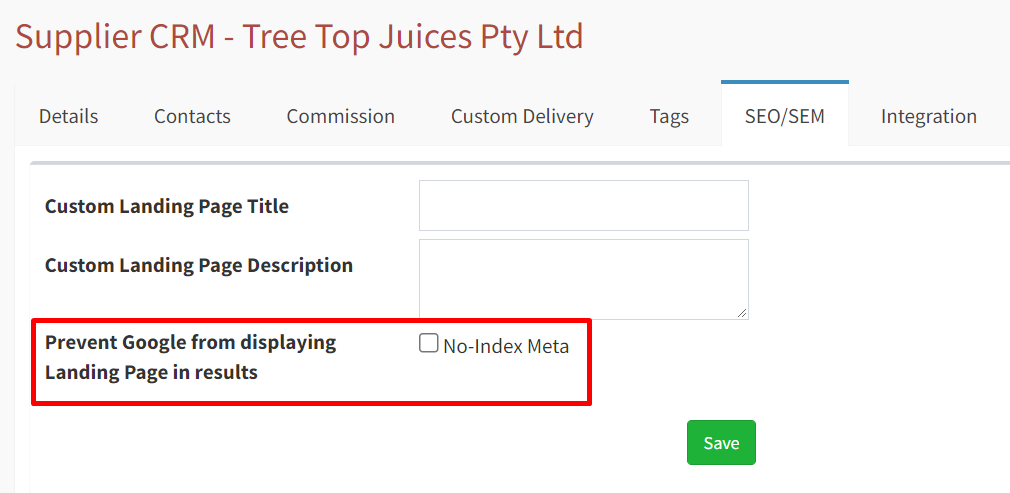
1. Visit the suppliers' screen and navigate to the “CRM” dashboard. Then go to the SEO/SEM tab, eg. https://stage.foodbyus.com:4432/admin/suppliers/crm/4365
(Expect to see a new form field/checkbox for updating the robots setting)
2. Click the checkbox and select "update"
(Expect a reload of the page to show the updated checkbox. Vice-versa, the reverse of this action will show the checkbox de-selected)